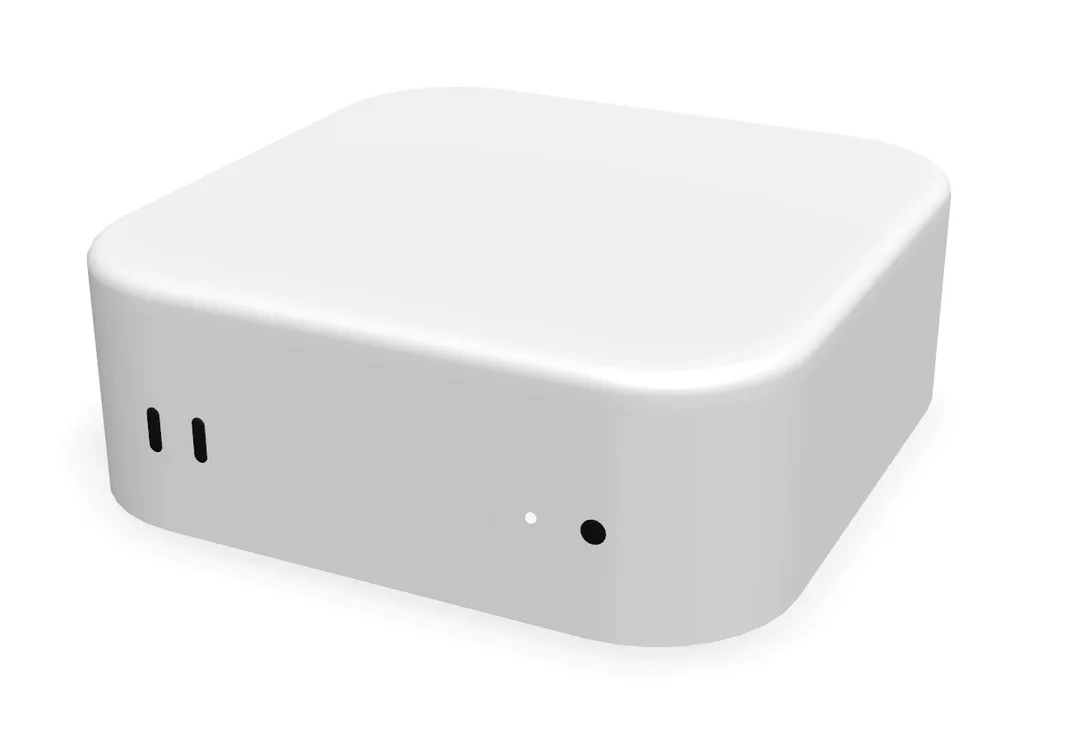
Your Mac,
in your pocket.
With Macaron, unlock your Mac, control it and watch over it, right from your iPhone.
Audited. All clear.
Macaron holds the keys to your Mac. So every line of it went through Cloudflare's security audit, run on Claude Opus 5.5.

- Your iPhone's key only runs MacaronNo raw shell on your Mac, and your Mac password asked again behind Face ID.
- Your router reached over pinned HTTPSNothing secret ever crosses your home network in clear.
- One-time pairing codesA pairing code works once, for ten minutes, on your own Mac.
- VPN keys revoked when you unpairA new key on demand, the old one deleted from your router.
Unlock your Mac from anywhere.
After a power cut, your Mac restarts on its own. Unlock it with Face ID. Back in seconds.
FileVault stays on. No keyboard, no screen, no KVM box.
 Mac miniFileVault is locked
Remote Control.
Click, type and close windows on your Mac, right from your iPhone.
That update prompt, the permission your agent is waiting for, the app that crashed: answered in a tap.
Know the minute it goes down.
Power cut or internet drop, Macaron tells you which, and when it's back.
A dead Mac can't warn you. Macaron notices the silence.

Every Mac you own,
in your pocket.
Unlock from anywhere
After a power cut, your Mac is back in one tap.
Restarts on its own
Your Mac powers back on by itself after a cut.
Face ID, never a password
Your password stays on your iPhone.
Remote Control
Click, type and close windows on your Mac.
Down alerts
Know when your Mac, power or internet drops.
Keep apps alive
Ollama, Plex, Docker relaunched if they crash.
Your apps
Open, quit or force quit any app.
Power
Lock, sleep, restart or shut down from your phone.
Stay awake
Keep your Mac awake as long as you need.
Sound and brightness
Turn your Mac up, mute it, dim its screen.
See the screen
Your Mac's screen, in one tap.
Terminal
Run a command on your Mac, wherever you are.
Shortcuts and Siri
Run your Mac's Shortcuts from your iPhone.
macOS updates
See what's waiting for your Mac.
Home Screen widget
Your Mac's status at a glance.
Every Mac
Mac mini, Mac Studio, iMac, MacBook.
Straight to your Mac.
No cloud in between.
Your password stays here
On your iPhone, in the Keychain, behind Face ID. We never see it.
We see nothing
Not your screen, not your files, not your commands. There is no Macaron account.
No open door
A key made on your iPhone and a VPN on your own router. Your Mac never faces the open internet.
Three steps. Then never again.
- 1
Install Macaron on your Mac
Free. It checks your Mac and turns on what's needed, one card at a time.
- 2
Scan the code with your iPhone
Your iPhone and your Mac pair in one scan. No account, no email.
- 3
Put your Mac in your pocket
Unlock it, control it, watch over it. From anywhere.
Check your router.
At home, Macaron works with any router. Away from home, your router needs a VPN server.
We'd rather tell you now than refund you later. Not in the list? Ask us, we'll check.
108 routers · 22 work from anywhere · 83 at home only
- Freebox Pop, Delta, Revolution, Mini 4K, OneWireGuard built inWorks from anywhere
- Freebox UltraWireGuard built in, not yet tried on the box itselfWorks from anywhere
- A1 WLAN Box (Austria)A FRITZ!Box 7530: IPsec, WireGuard on FRITZ!OS 7.50+Works from anywhere
- ASUS routersWireGuard, OpenVPN or IPsec, depending on the modelWorks from anywhere
- Buffalo AirStation WXR (Japan)L2TP/IPsec server, not on v6plus or transix linesWorks from anywhere
- FRITZ!BoxWireGuard built in (FRITZ!OS 7.50 and later)Works from anywhere
- GL.iNet, OpenWrt, MikroTikWireGuard serverWorks from anywhere
- Iliadbox (Italy)WireGuard and OpenVPN built in (Freebox OS)Works from anywhere
- ipTIME (South Korea)WireGuard server (firmware 14.20 and later)Works from anywhere
- Livebox ProBusiness Livebox, L2TP/IPsecWorks from anywhere
- Netgear Nighthawk, OrbiOpenVPN serverWorks from anywhere
- NTT Hikari PR-600, RX-600 (Japan)L2TP/IPsec server, on PPPoE lines onlyWorks from anywhere
- Spark Smart Modem 2 (New Zealand)OpenVPN server built inWorks from anywhere
- Swisscom Internet-Box 3, 4, 5WireGuard built inWorks from anywhere
- Synology routersVPN Plus Server (OpenVPN, L2TP/IPsec)Works from anywhere
- Telekom Speedport Smart 4, Pro, Pro PlusWireGuard built inWorks from anywhere
- Telia WiFi-router F@st 5370 (Sweden)L2TP/IPsec server built inWorks from anywhere
- TP-Link Archer, DecoWireGuard or OpenVPN on some modelsWorks from anywhere
- TP-Link VX420 (TPG, Aussie Broadband, Australia)OpenVPN server built inWorks from anywhere
- UniFi gatewaysWireGuard or L2TP serverWorks from anywhere
- Vodafone Station, Power Station (Italy)L2TP server built in, reported flaky on iPhoneWorks from anywhere
- Yamaha RTX830, NVR510 (Japan)L2TP/IPsec, IKEv2 serversWorks from anywhere
- Apple TV as your way homeFor every box without a VPN serverComing soon
- FRITZ!BoxSet up by Macaron (IPsec)Coming soon
- GL.iNet, OpenWrt, MikroTikSet up by MacaronComing soon
- Airtel Xstream Fiber (India)No VPN server found, CGNATAt home only
- Altibox router (Norway)No VPN server documented, settings lockedAt home only
- AT&T gatewayAT&T, United StatesAt home only
- au Hikari Home Gateway (Japan)No VPN server foundAt home only
- Batelco router (Bahrain)No VPN server foundAt home only
- Bbox Must, Ultym, WiFi 7Bouygues Telecom, FranceAt home only
- Bell Giga Hub, Home Hub (Canada)No VPN server (Bell forum)At home only
- Bezeq Be router (Israel)No VPN server foundAt home only
- BT Smart Hub 2, EE Smart HubBT and EE, United KingdomAt home only
- Buffalo WSR (Japan)No VPN serverAt home only
- Claro NET (Brazil, Colombia)No VPN server found, often CGNATAt home only
- DNA router (Finland)No VPN server foundAt home only
- du Home router (UAE)No VPN server foundAt home only
- eeroAmazon mesh Wi-FiAt home only
- eir F3000, F5000 (Ireland)No VPN server (eir hubs)At home only
- Elisa Kotiboksi (Finland)No VPN server documentedAt home only
- Etisalat e& router (UAE)No VPN server foundAt home only
- Fastweb NeXXt, Internet Box (Italy)No VPN server in Fastweb's guidesAt home only
- Google Nest WifiGoogle mesh Wi-FiAt home only
- Izzi (Mexico)No VPN server foundAt home only
- JioFiber Home Gateway (India)No VPN server, and CGNAT blocks the way inAt home only
- KPN BoxKPN, NetherlandsAt home only
- KT GiGA WiFi (South Korea)No VPN server foundAt home only
- Linksys VelopLinksys mesh Wi-FiAt home only
- Livebox 5, 6, 7Orange, FranceAt home only
- Magenta Connect Box (Austria)No VPN server (Magenta community)At home only
- MEO Fiber Gateway (Portugal)No VPN server (MEO forum)At home only
- Millenicom modem (Turkey)No VPN server found, often CGNATAt home only
- Mobily router (Saudi Arabia)No VPN server foundAt home only
- Movistar routerMovistar, SpainAt home only
- Movistar router (Argentina, Chile, Colombia)No VPN server foundAt home only
- NEC Aterm (Japan)VPN passthrough only, no serverAt home only
- Netia router (Poland)No VPN server (Netia forum)At home only
- NOS Giga Router (Portugal)No VPN server (NOS, official reply)At home only
- NTT XG-100NE (Japan)No VPN serverAt home only
- O2 HomeBoxO2, GermanyAt home only
- Ogero router (Lebanon)No VPN server foundAt home only
- One NZ Ultra Hub (New Zealand)No VPN server (Geekzone forum)At home only
- Ooredoo router (Qatar, Kuwait)No VPN server foundAt home only
- Optus Ultra WiFi Modem (Australia)No VPN server documentedAt home only
- Orange Funbox 6, 10 (Poland)No VPN server (reviews)At home only
- Orange Jordan routerNo VPN server foundAt home only
- Personal Flow, Fibertel (Argentina)No VPN server foundAt home only
- Play Box, UPC Connect Box (Poland)No VPN server, CGNATAt home only
- Proximus b-boxProximus, BelgiumAt home only
- Rogers Ignite Gateway (Canada)No VPN server (Rogers community)At home only
- SFR Box 7, 8, 8X, RED boxSFR, FranceAt home only
- SK Broadband, LG U+ routers (South Korea)No VPN server foundAt home only
- Sky Broadband HubSky, United KingdomAt home only
- SoftBank Hikari BB Unit (Japan)No VPN server foundAt home only
- Spark Smart Modem 3, 4 (New Zealand)No VPN server foundAt home only
- Spectrum routerCharter, United StatesAt home only
- StarHub router (Singapore)No VPN server foundAt home only
- Starlink routerNo way in from outside at allAt home only
- STC router (Saudi Arabia, Kuwait)No VPN server foundAt home only
- Superonline modem (Turkey)No VPN server (Superonline forum)At home only
- T-Mobile Home InternetNo way in from outside at allAt home only
- Telenor router (Norway, Sweden)No VPN server documentedAt home only
- Telmex Infinitum (Mexico)No VPN server foundAt home only
- Telstra Smart Modem (Australia)No VPN server in its specificationsAt home only
- Telus Wi-Fi Hub, Boost (Canada)No VPN server (Telus forum)At home only
- Tigo UNE, ETB (Colombia)No VPN server foundAt home only
- TIM HubTIM, ItalyAt home only
- TIM Live (Brazil)No VPN server foundAt home only
- Totalplay (Mexico)No VPN server foundAt home only
- TPG Huawei HG659 (Australia)No VPN server in TPG's guideAt home only
- Türk Telekom modem (Turkey)No VPN server found in Türk Telekom's firmware, CGNAT on some linesAt home only
- TurkNet ZTE modem (Turkey)No VPN server found, often CGNATAt home only
- Verizon Fios RouterVerizon, United StatesAt home only
- Vidéotron Helix (Canada)No VPN server foundAt home only
- Virgin Media Hub (Ireland)No VPN server (Virgin Media community)At home only
- Virgin Media Hub 4, 5Virgin Media, United KingdomAt home only
- Vivo Fibra (Brazil)No VPN server foundAt home only
- Vodafone Net modem (Turkey)No VPN server foundAt home only
- Vodafone Qatar routerNo VPN server foundAt home only
- Vodafone Smart Router (Portugal)No VPN server documentedAt home only
- Vodafone StationVodafone, GermanyAt home only
- VTR, Entel, Mundo (Chile)No VPN server foundAt home only
- WE Telecom Egypt routerNo VPN server in its specificationsAt home only
- WindTre Super Fibra modem (Italy)No VPN server documentedAt home only
- Xfinity GatewayComcast, United StatesAt home only
- Zain router (Saudi Arabia, Kuwait, Jordan)No VPN server foundAt home only
- Ziggo SmartWifi, ConnectboxZiggo, NetherlandsAt home only
Not in our list yet. Ask us, we'll check it for you.
Pay once. Yours forever.
The Mac app is free. The iPhone app unlocks everything.
Lifetime
Launch price€99€149 once
- Every Macaron+ feature
- Every future update
- No subscription, ever
One-time purchase. Yours forever.
Monthly
€9.99 a month
- Every Macaron+ feature
- Every Mac you own
- Cancel anytime
Renews monthly. Cancel anytime in the App Store.
Questions.
What is Macaron?
Macaron puts your Mac in your pocket. It unlocks your Mac after a power cut, lets you click and type on it from your iPhone, keeps your apps running and tells you the minute it goes down. It is made for Macs that work while you are away: a Mac mini running AI agents, a home server, a render machine, the Mac at the office.
Why does my Mac stop working after a power cut?
With FileVault on, a Mac that restarts waits at a locked screen until someone types the password at the keyboard. Until then, nothing runs: no server, no agent, no automation. Macaron types it for you from your iPhone, with Face ID, so FileVault stays on and your Mac comes back in seconds.
Do I need to be at home?
No. At home, Macaron works with any router. Away from home, your iPhone reaches your Mac through your router's own VPN server, which Macaron sets up for you on supported boxes like the Freebox. Check yours in the router list.
Where is my Mac password stored?
On your iPhone only, in the Keychain, behind Face ID. It is sent to nothing but your own Mac, over an encrypted connection. We never see it, and there is no Macaron account to hack.
Can Macaron see my screen or my files?
No. Your iPhone talks straight to your Mac, with no cloud in between. Your screen, your files and your commands never pass through our servers. The only thing our servers see is a small heartbeat, so we can tell you when your Mac goes silent.
Which Macs work with Macaron?
Mac mini, Mac Studio, iMac and MacBook, on macOS 15 or later. Unlocking FileVault remotely needs macOS 26 or later on a Mac with Apple silicon. The iPhone app needs iOS 18 or later.
Wi-Fi or Ethernet?
Both work for everything once your Mac is unlocked. For the FileVault unlock itself, Ethernet is the safest choice: on early versions of macOS 26 the Mac did not always join Wi-Fi at the FileVault screen, and Apple fixed it in macOS 26.5. On macOS 26.5, macOS 27 or later, Wi-Fi is fine.
How much does it cost?
The Mac app is free. The iPhone app is €99 once, yours forever, or €9.99 a month, cancel anytime. Purchases and refunds go through Apple.
Is it safe to unlock my Mac remotely?
Remote access always carries some risk, so Macaron keeps the door as small as it can: a key made on your iPhone, your password behind Face ID, a VPN that lives on your own router, and no Macaron server in the middle. Read how it works on the security page, and keep your iPhone locked with a passcode.